


Preply: Language lessons
4.71.40K Reviews
App Specs
- Version
- 6.137.0
- Updated On
- License
- Free
- Downloads
- 5,000,000+
- Developer
- Preply Inc.
- Categories
- Education
- Platform
- Android, iOS
Screenshots
 Analysis by AppCompare
I find Preply most useful when I treat it as a way to make speaking practice happen, not as a complete language course that will do the work for me. A tutor can respond to what I actually say, help me work through a sticking point, and keep a lesson focused on my goals. That makes the app a different proposition from studying alone: it puts a real conversation at the center, while asking me to show up prepared and take an active part.
What a good first lesson can achieve
Before booking, I would write down a few situations where I want to use the language: introducing myself, asking for directions, or explaining a work task, for example. That gives a tutor something concrete to build around and helps me judge whether their teaching style suits me. A broad goal such as “get better at Spanish” is harder to turn into a useful session than “help me explain my job without switching to English.”
After a lesson, I’d keep a short note of phrases I struggled to recall and questions I didn’t have time to ask. Bringing that note to the next session gives the conversation continuity, even if the next topic changes. It is also a practical way to check whether the personalized format is working for me: I should be using more of the language and getting clearer about what to practice, rather than simply filling an hour.
Choosing a tutor is part of the learning
A profile can help narrow down the choices, but I wouldn’t choose on accent or availability alone. I’d also think about whether I need patient correction, freer conversation, or a more structured lesson, then use the introductory material and reviews to look for signs of that fit. The best tutor for a traveler who wants quick, practical exchanges may not be the best match for someone preparing to speak confidently in meetings.
There is a trade-off here: a large choice makes it easier to look for a particular style, but it can also make browsing feel like work. I’d shortlist a few plausible tutors rather than comparing profiles endlessly. If a lesson feels too easy, too formal, or too correction-heavy, I’d treat that as useful information about what to ask for next time, or a reason to try a different match.
Where Preply fits among learning options
Compared with a self-guided vocabulary or grammar app, Preply gives me live feedback and a reason to speak aloud. That is a meaningful advantage when my main obstacle is hesitation, pronunciation, or keeping a conversation moving. In exchange, it requires arranging a lesson and engaging with another person; it is not the effortless option for a few spare minutes on a commute.
It also differs from a classroom course, where a teacher has to divide attention among learners and follow a shared pace. Private tutoring can be more responsive to my specific gaps, but the experience depends heavily on the tutor I choose and the effort I bring. For a learner who wants a fixed syllabus, regular group energy, or entirely independent study, another format may be a better fit. I’d use Preply as the speaking-and-feedback part of a broader routine, with solo review between sessions.
Worth Reading Before You Choose

Baby Panda World Brings Quick Play to Modern Phones, but Its Game Library Feels Busy

ESPN’s Live Game View Makes Following Close Games Easier

QuizzLand Review: A Good Fit for Short Trivia Breaks, Not Every Player

Basketball Stars: Multiplayer Is Fast, but Can It Recover When Matches Go Wrong?

WEBTOON Turns Phone Updates Into a Better Reading Routine

Link to Windows Runs on Shared Habits, Not Social Feeds
Planning around real life
A realistic routine might be to book a lesson before a week when I expect to use the language, then jot down a few phrases afterward and revisit them before the next conversation. For instance, if I’m preparing for a trip, I could ask to practice checking into accommodation or handling a simple problem politely. The benefit is not that one session makes me fluent; it is that I get to rehearse a specific exchange with someone who can adapt when I go off script.
This format suits learners who can protect a scheduled block of time and are comfortable speaking while they are still making mistakes. It is less suitable if I only want quick, private drills, cannot reliably attend appointments, or feel that live conversation would add too much pressure right now. In those cases, I’d start with independent practice and return to tutoring when I have a clearer reason to speak.
Connectivity is central to that routine. Finding a tutor, arranging a session, and taking part in a video lesson all depend on being able to get online and maintain a usable connection. I would choose a quiet place with dependable internet rather than assume a busy café or a moving commute will make a good classroom. If the connection becomes unstable, the flow of a spoken exchange can suffer: I may miss a word, talk over the tutor, or lose the thread of an explanation.
Making mobile lessons work
Using a phone can make a lesson easier to fit around a full day, but convenience has limits. A stable seat, headphones if they help me hear clearly, and a spot where I can speak without feeling rushed make a bigger difference than squeezing a session into every spare moment. For pronunciation work or longer explanations, I’d favor a setting where I can concentrate and respond naturally over one where I’m watching the clock or competing with background noise.
I’d also separate the lesson from the small tasks around it. Browsing tutor profiles and checking a schedule can happen during a brief planning window; a live conversation deserves uninterrupted attention. If I’m traveling or relying on a changing connection, I’d avoid booking a session at the exact moment I expect to be in transit. That simple distinction keeps the app’s mobile convenience from turning into a frustrating lesson.
If a session goes wrong
When video or audio falters, the useful response is to pause and re-establish what each person heard rather than push ahead and hope the missing part did not matter. I’d repeat the last clear phrase, ask the tutor to restate an instruction, and return to the topic once the conversation is flowing again. This is especially important in language learning, where a tiny missed word can change the meaning of a correction.
For issues that affect scheduling or the lesson itself, I’d check the app and the account details before making assumptions about what happened. Keeping a note of the lesson goal and the point where the conversation stopped can help me pick up the thread in a later session. A live tutoring format cannot remove every network problem, so I see connection quality as part of lesson preparation, just like having a topic ready.
Keeping the routine practical
I would not use mobile data casually for a long video session without first considering my own plan and signal conditions. A reliable Wi-Fi connection is a sensible choice when available, especially if I want to avoid interruptions or unexpected data use. I’d also keep the app current; Preply is currently on version 6.126.0, and using the latest version available for my device is a straightforward first step if something behaves unexpectedly.
Preply is a free app to get, but that does not mean private lessons themselves are free. Tutor rates vary, so I would decide what I can spend before browsing and check the lesson terms shown for the tutor I’m considering. The app is made by Preply Inc. and is rated for Everyone, which makes it broadly accessible as an app, but the practical commitment remains a scheduled lesson with a tutor rather than a no-cost, on-demand exercise.
Have you ever wanted to learn a new language but felt overwhelmed by the thought of it? I mean, who hasn't, right? Well, let me introduce you to Preply: Language lessons, an app that's like having a personal language tutor in your pocket. Trust me, this app is a game-changer for anyone serious about picking up a new language or brushing up on their skills.
Getting Started with Preply
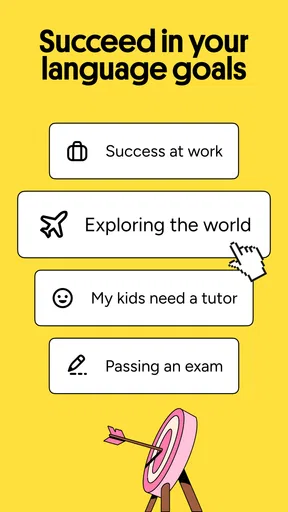
Diving into the world of Preply is like opening up a treasure chest of linguistic possibilities. The app is available for both Android and iOS, so no worries about compatibility here. Setting it up is a breeze. Once you download it, you'll be prompted to create an account or log in. From there, it's all about personalization, which I think is a fantastic touch. You can set your language goals, whether it’s for travel, business, or just for fun. The app then matches you with tutors based on your preferences and availability.
The Tutor Experience
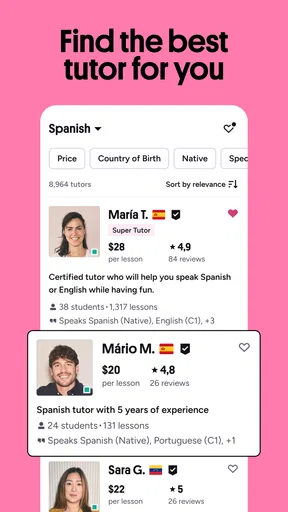
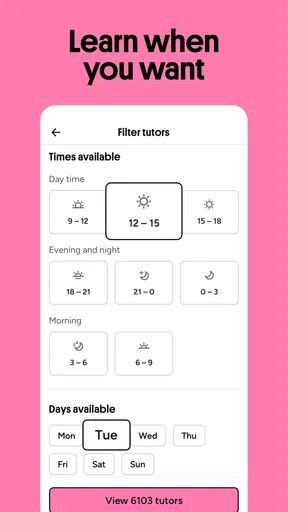
One of the standout features of Preply is its robust selection of tutors. We're talking thousands of tutors from around the world, each bringing their unique flair to the table. You can filter them by language, availability, price, and even country of origin. I found this super helpful because it allowed me to choose someone whose accent I wanted to emulate. Plus, you can watch intro videos and read reviews before making your choice. It's like dating, but for language learning!
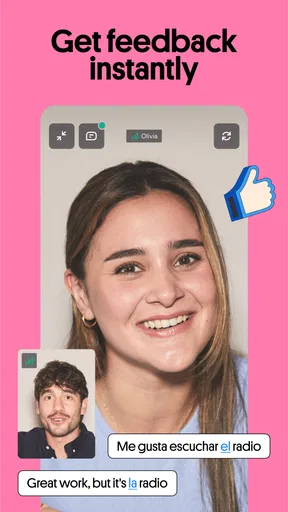
Once you pick your tutor, you can start scheduling lessons. The flexibility here is a real win. Whether you're an early bird or a night owl, there's a tutor available for you. The lessons themselves are conducted via video chat within the app, making it super convenient. No need to switch between platforms or deal with clunky external software.
Lesson Content and Structure
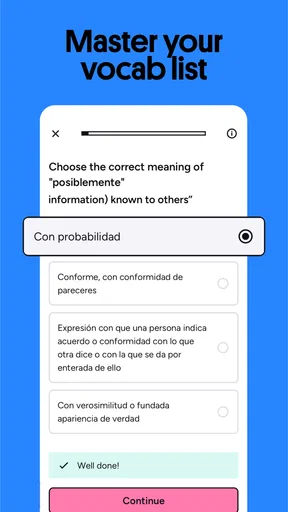
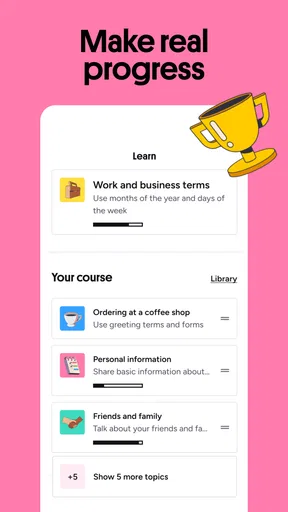
The beauty of Preply lies in its personalized approach to language learning. Each lesson is tailored to your specific needs and goals. Whether you’re a beginner or looking to fine-tune your conversational skills, the tutors adapt the lessons accordingly. The app also offers a variety of resources like quizzes and practice exercises to reinforce what you’ve learned. And, if you’re into tracking progress, Preply has that covered too. You can monitor your journey and see how far you’ve come, which is a great motivator.
User Interface and Experience
Now, let’s talk about the user interface. Preply's design is clean and intuitive, which makes navigation a piece of cake. The layout is user-friendly, so you’re not left fumbling around trying to find what you need. Everything from booking lessons to chatting with your tutor is straightforward. The app runs smoothly without any noticeable lag, which is always a plus in my book.
Pricing and Accessibility
Let's address the elephant in the room: pricing. Preply offers a wide range of pricing options to suit different budgets. The cost per lesson depends on the tutor you choose, but there’s enough variety to find something that won’t break the bank. Plus, there's a satisfaction guarantee, so if you're not happy with your lesson, Preply will reimburse you or help you find another tutor. Not too shabby, huh?
Another highlight is the app’s accessibility. It's designed to be inclusive, offering lessons in multiple languages and accommodating various learning styles. This makes it a great option for people from all walks of life.
Final Thoughts
In a nutshell, Preply: Language lessons is a powerhouse app for anyone keen on learning a new language. With its personalized approach, wide selection of tutors, and flexible scheduling, it ticks all the right boxes. Whether you're a complete newbie or a seasoned linguist, Preply offers something for everyone. So, if you’re ready to embark on a language-learning journey, why not give Preply a whirl? It might just be your new favorite app!
Pros
- Wide variety of languages available.
- Highly qualified tutors from around the globe.
- Flexible scheduling to fit any lifestyle.
- User-friendly interface makes navigation easy.
- Progress tracking to monitor learning growth.
Cons
- Higher cost compared to other platforms.
- Some tutors may have limited availability.
- No free trial lessons offered.
- App notifications can be overwhelming.
- Limited offline access to lessons.
FAQs for Preply: Language lessons
What is Preply and how does it work?
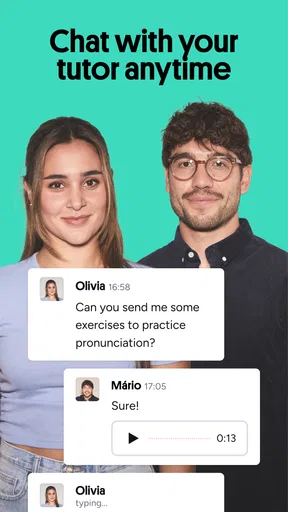
Preply is an online platform that connects learners with professional language tutors for personalized lessons. Users can select from a wide range of languages, schedule convenient lesson times, and learn through a virtual classroom. The app provides tools for interactive learning, including video calls and messaging features to enhance the educational experience.
How do I find the right tutor on Preply?
Preply offers a search tool where you can filter tutors based on criteria such as price, availability, languages spoken, and ratings. Each tutor has a detailed profile with reviews and introductory videos, allowing you to assess their teaching style and expertise before booking a trial lesson. This ensures you find the best match for your learning needs.
Can I schedule lessons at my convenience?
Yes, Preply provides flexible scheduling to accommodate your timetable. Tutors have designated available slots, and you can book lessons according to your preferred times. The platform supports learners across different time zones, making it convenient to find a suitable slot for both you and the tutor.
Is there a mobile app for on-the-go learning?
Preply offers a mobile app for both iOS and Android, allowing you to access lessons, communicate with tutors, and manage bookings directly from your smartphone. This feature ensures that you can continue your learning journey anytime, anywhere, making it ideal for busy schedules or frequent travelers.
What payment options are available on Preply?
Preply supports various payment methods, including credit/debit cards and PayPal, for purchasing lesson packages. The platform ensures secure transactions and offers a straightforward refund policy if you're not satisfied with your lessons. This flexibility in payment options provides peace of mind and convenience for users.


